01 / Paydays & billsXLSX
Which check covers rent?
Match your bills to the paycheck before they're due. Spot a short check before it arrives.

Rent on the first. Payday on a Friday. A budget makes more sense when the dates line up. Our Paycheck & Bills Planner shows which check covers what—and where things get tight.
For paydays exactly 7 or 14 days apart.
Excel 2010+, Excel for the web, or free Google Sheets.
Not designed for Apple Numbers. Easiest to set up on a computer.
One editable .xlsx file. Pay once. No bank connection.
The tight paycheck is easier to plan for when you can see it.
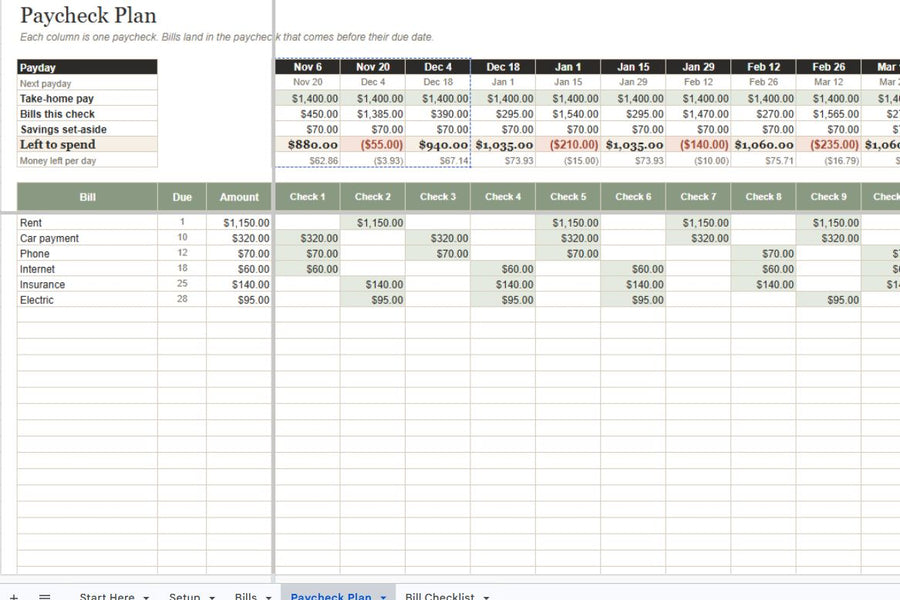
Why November 20 is tight: December 1 rent ($1,150) is due before the next payday, so it belongs in this check.
You don't have to reorganize your whole life this afternoon. Pick the job you want a little help with.
Match your bills to the paycheck before they're due. Spot a short check before it arrives.
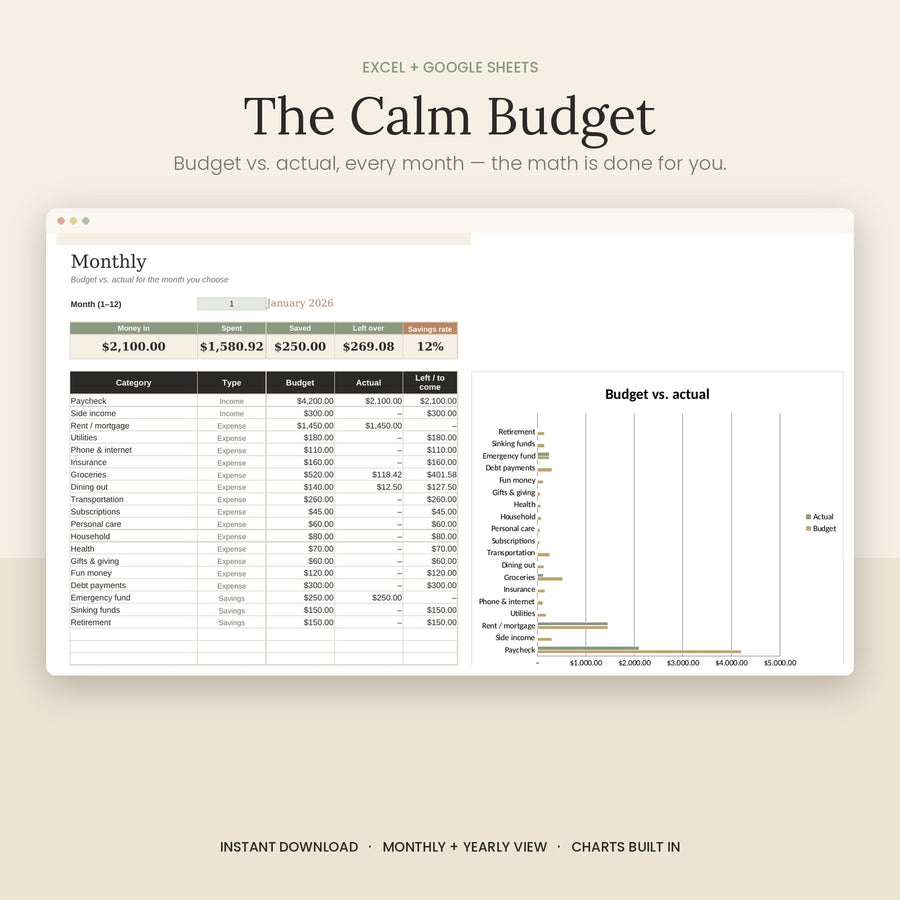
Give income, bills and everyday spending a place. Compare the plan with what actually happened.
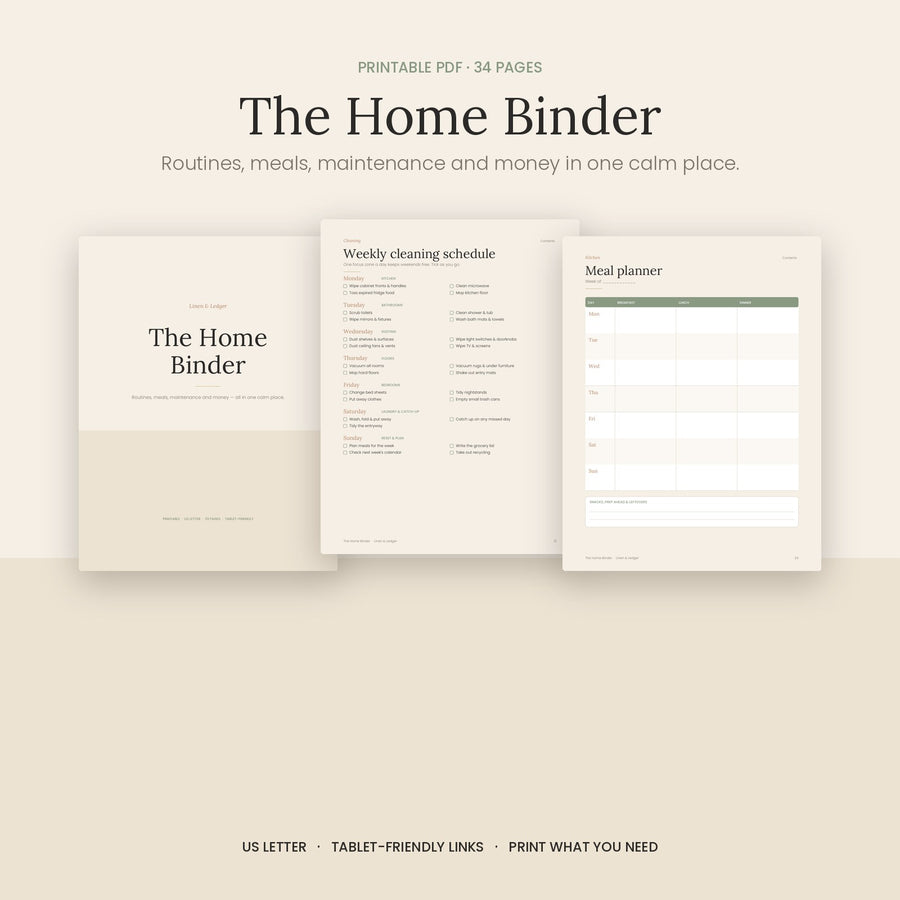
Meals, routines, home maintenance and bills. Print the pages you need from an undated 34-page binder.
Here's the actual Paycheck & Bills Planner in Google Sheets, using example numbers. Enter a payday and your bills; see them placed into the checks that need to cover them.
Exactly 7 or 14 days between paydays. Up to 26 paychecks and 40 bills per file. Fixed twice-monthly dates and irregular pay cycles aren't supported.
Watch the 32-second walkthrough ↓
Start with your pay cycle: this example uses November 6, 14 days apart, $1,400 take-home and 5% to savings. Enter your own information in the marked input cells.

List your bills: rent, car payment, phone, internet, insurance and electricity are sample entries here. Use your actual due dates and amounts.

The plan: $880 left on November 6; $55 short on November 20. The red result flags the difference.
Tap a screenshot to open a larger view. Example numbers, not customer results.
Silent walkthrough with on-screen explanations. $1,400 every 14 days, 5% ($70) set aside, and six sample bills. Everyday spending still needs room.
A free template may be all you need. Here's what you're choosing when you buy the $7 Paycheck & Bills Planner.
Your dates and amounts go in; bills land in the paycheck before their due date. You start with the working formulas instead of building that setup yourself.
The Start Here tab explains the file in plain language. Setup, Bills, Paycheck Plan and Bill Checklist keep the steps in one workbook.
Real screenshots, a real walkthrough, and the limits written down. Check whether the pay cycle and file format suit you before you spend anything.
If it won't open or doesn't work as described, contact us within 14 days and we'll fix it or refund you, under our file promise. You don't have to puzzle out a broken download on your own.
Founder, Linen & Ledger
I started Linen & Ledger after seeing people close to me struggle with the money side of everyday life.
I wanted to make the next step feel a little more manageable: get the bills out of your head, put the paydays in order, and have something clear to work from.
That's the idea behind these files. Small, practical tools you can open, understand and make your own. Take a look inside, check what fits your situation, and start with just the part you need.
A little structure for real life.
Planning tools—not financial advice or a promise of results.
A few things worth knowing before a file lands in your inbox.
Yes. The spreadsheets can be uploaded to Google Drive and opened in free Google Sheets. Excel 2010 or newer (Windows or Mac) and Excel for the web are also supported. They aren't designed for Apple Numbers. Use a computer for the easiest setup.
It supports paydays exactly 7 or 14 days apart and holds up to 26 paychecks and 40 bills per file. Fixed twice-monthly dates (such as the 1st and 15th) and irregular pay cycles aren't supported. For bills due 29–31, enter 28 in the planner and check your actual bill due date.
After payment is confirmed, your download link is emailed to the address used at checkout. Look for “Your downloads are ready” in your inbox or spam folder. If the link doesn't arrive, see download help or contact us. No physical product is shipped.
No. You buy a digital file once and enter your numbers yourself. It doesn't connect to your bank. Personal-use terms apply.
Contact us within 14 days if it won't open or doesn't work as described. We'll fix it or refund you under the existing file promise and refund policy. Downloads can't be returned for a change of mind.
Nine printable pages, one small step a day. Yours when you join the Linen & Ledger email list.
Take a look at the guide first ↗